
Likes
Every meaningful connection starts with showing interest. When you send a Like, you're letting someone know they caught your attention.
How to Send Likes
In Discover or Standouts, tap the heart icon on a person's photo or prompt answer. A modal opens where you can add an optional comment and choose Send Like or Send Flower.
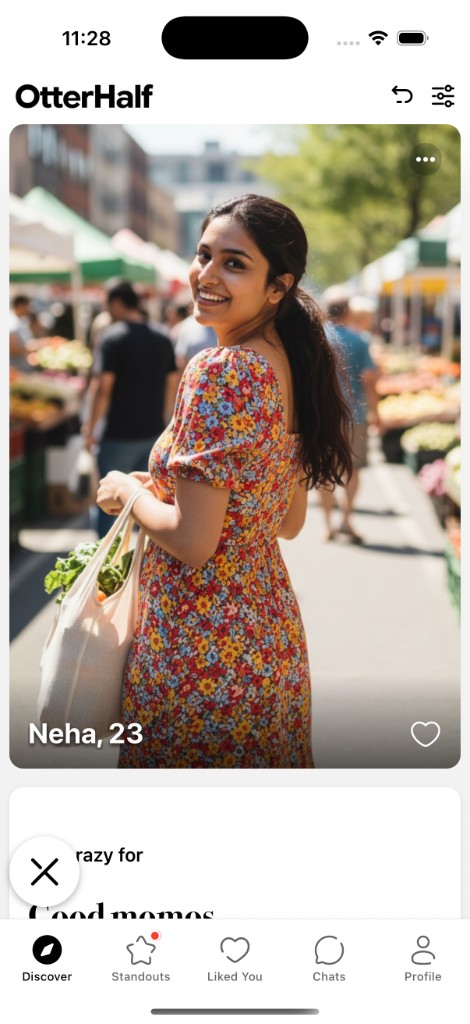
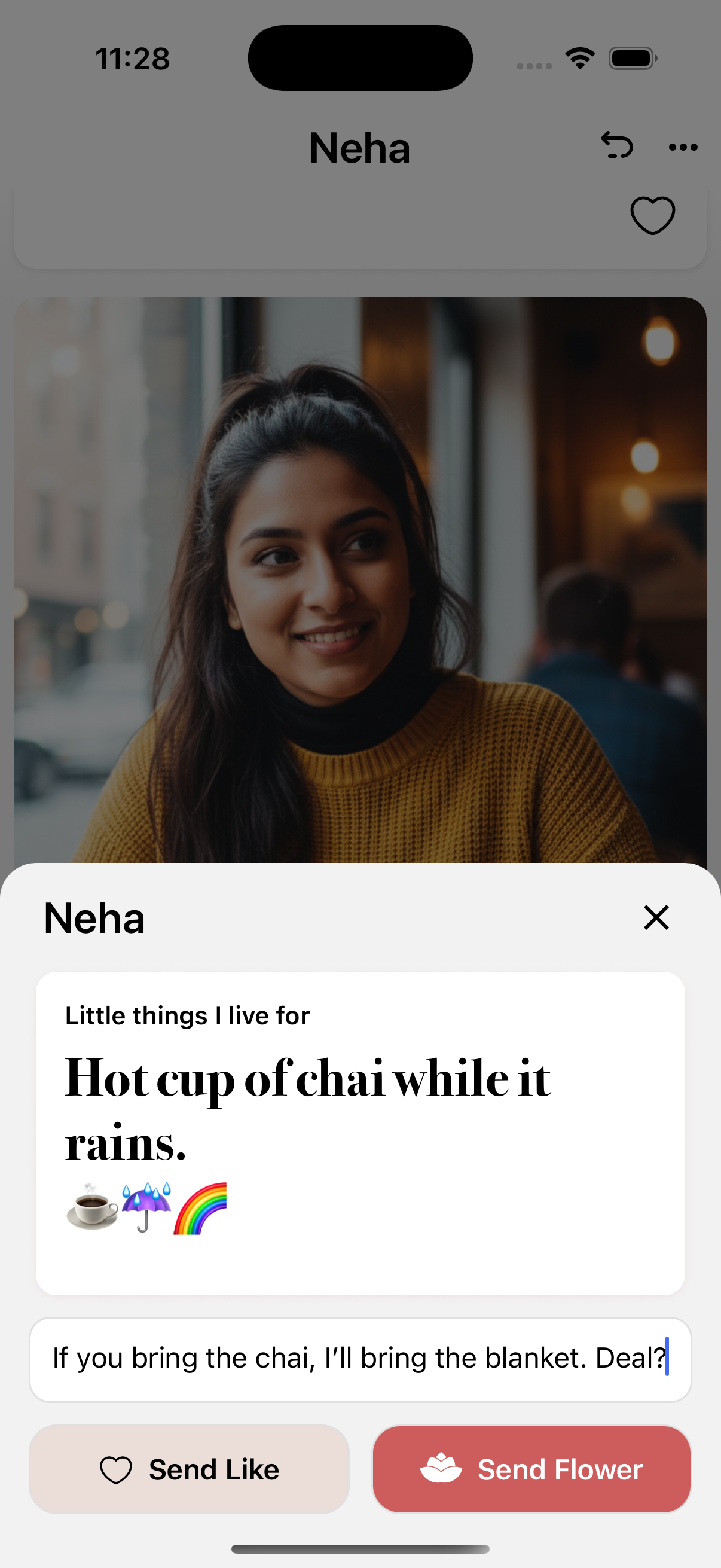
Pro tip: Adding a comment with your Like makes you more likely to get a response!
After you send a Like:
- That profile leaves your Discover feed until they respond.
- You won't see them again unless they like you back and you match.
- If they like you back, you'll match and can start chatting.
Free members have a daily like limit. Premium benefits (e.g. sending 5x more likes) are coming soon.
When Someone Likes You
When someone likes your profile, a red dot appears on the Liked You tab (heart icon in the bottom navigation). Open that tab to see who liked you.
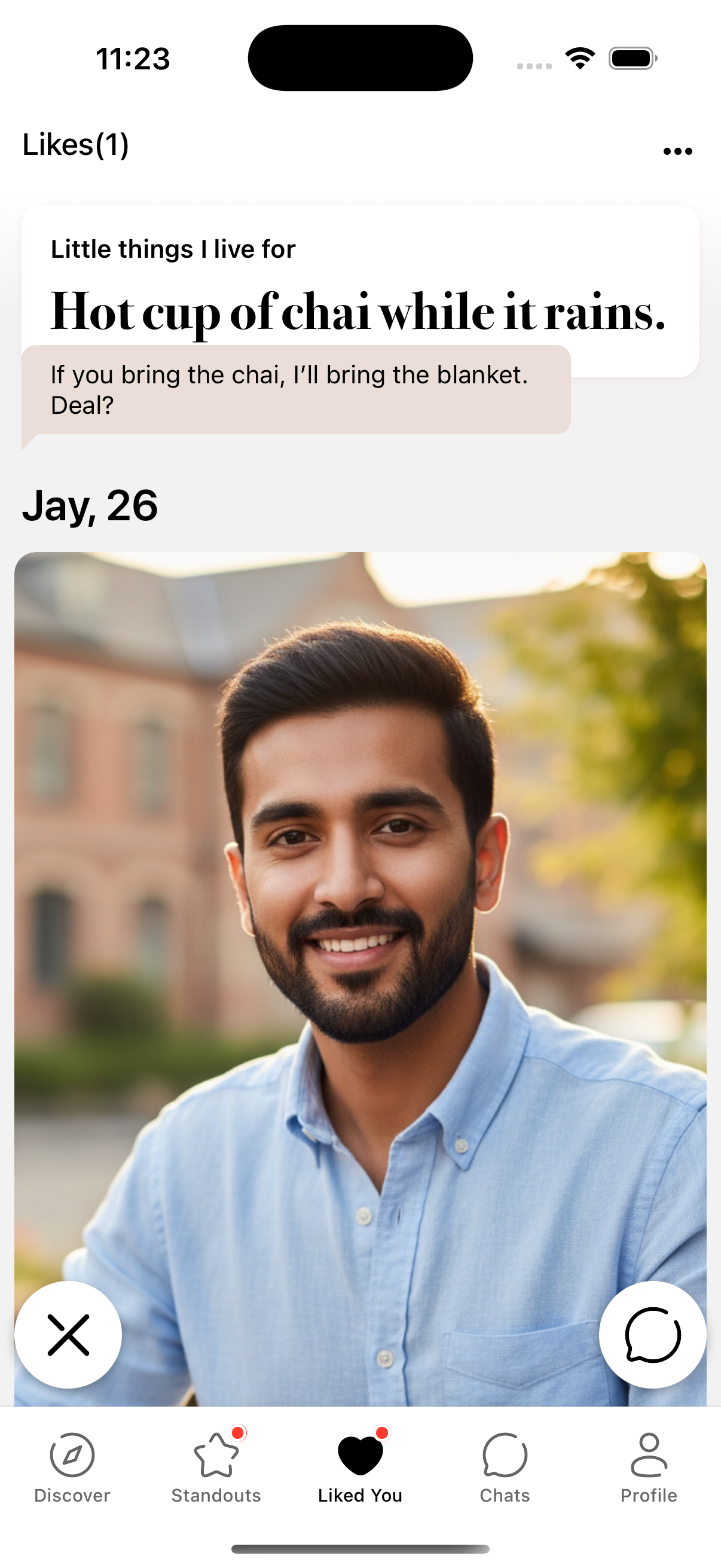
![Modal to add an optional message and tap Match with [Name] to accept the like.](/images/liked-you-match-modal.png)
On the Liked You screen you see one profile at a time. The header shows "Liked You" when empty or "Likes(n)" when you have incoming likes. Tap the chat icon to open the match screen, add an optional message, and tap Match with [Name] to match—or tap the X to pass.
Premium benefits for incoming likes are coming soon.
Quick reminder
Once you send a Like, that profile won't appear in your feed again unless they like you back and you match.