
How do I react to messages?
Message reactions let you respond quickly and express yourself without typing. You can add emoji reactions to any message in your conversations.
Adding a Reaction:
- Open the Chats tab and select a conversation
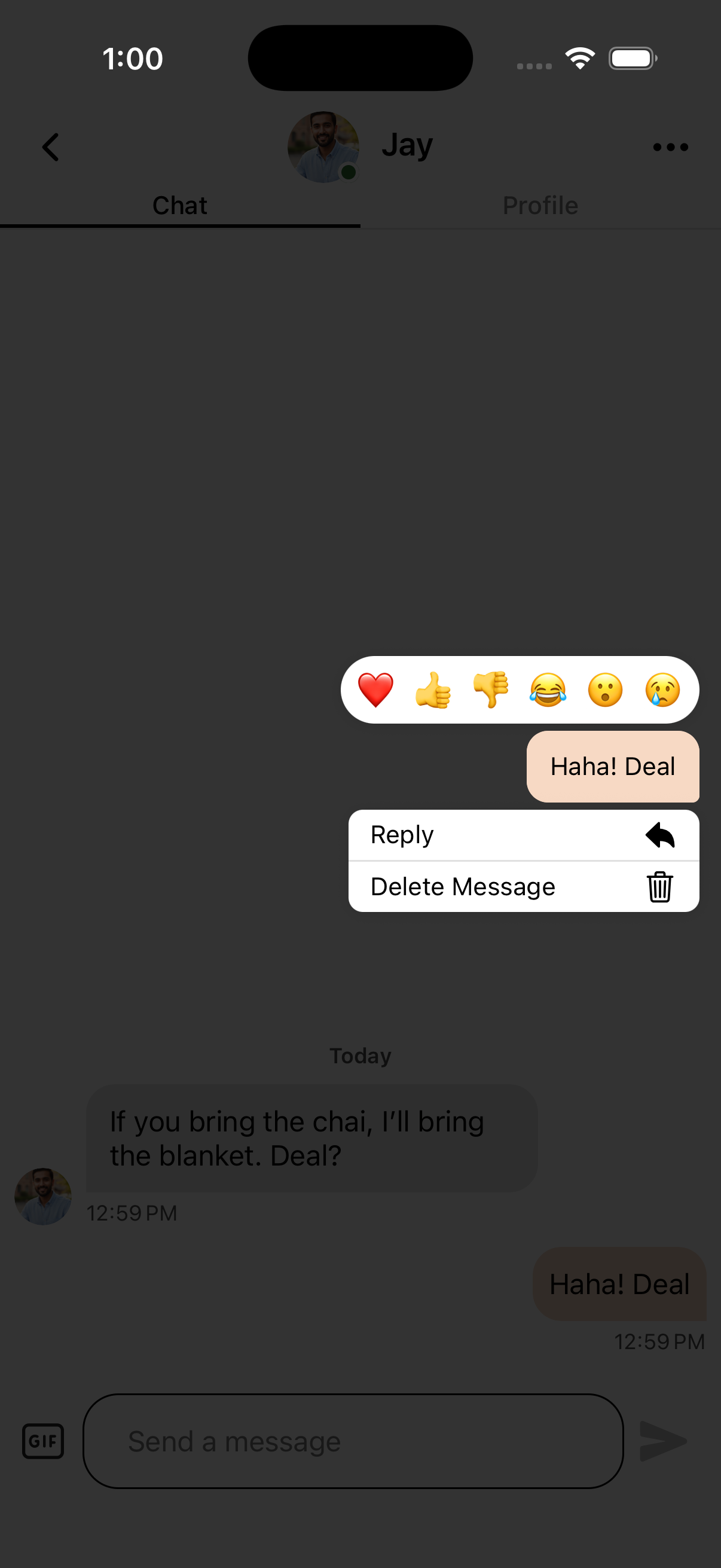
- Long press on the message you want to react to
- Choose from the available reaction emojis:
- ❤️ Love - Express love for the message
- 👍 Like - Show you like it
- 👎 Dislike - Express disapproval
- 😂 Haha - Show you found it funny
- 😮 Wow - Express surprise
- 😢 Sad - Show you're feeling sad
Removing a Reaction:
- Long press on a message that has your reaction
- Tap the same reaction emoji again to remove it
Using Reactions Effectively:
- Reactions let you acknowledge messages without typing a full response
- Tap on a reaction to see who reacted to the message
- Multiple people can react to the same message with different emojis