
Last Active Status
OtterHalf includes an activity indicator that shows when members were last active on the app. This helps you gauge how recently someone has been using the platform. You may see "Active now" or "Active today" displayed next to profile photos.
Managing Your Activity Visibility:
- Tap the Profile tab (far right of the navigation bar)
- Tap your profile photo to edit your profile
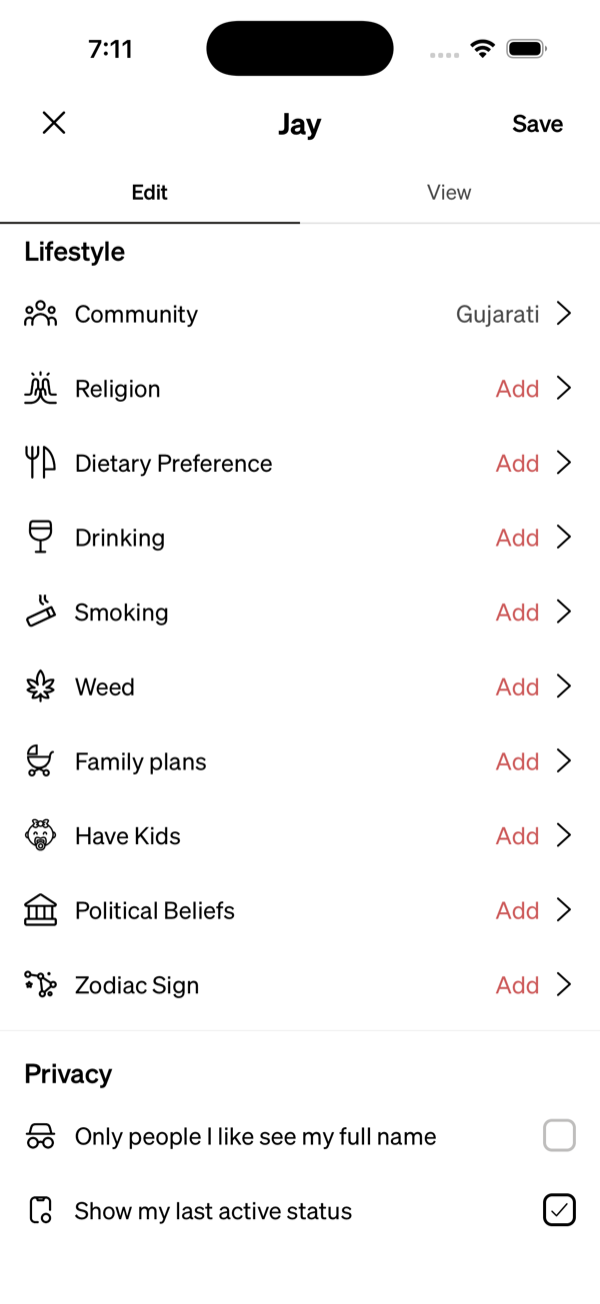
- Scroll to the Privacy section at the bottom
- Check or uncheck "Show my last active status":
- Checked: people viewing your profile can see your activity status.
- Unchecked: your activity status is hidden.
- Tap Save to apply the change.
Your activity status appears on your profile photo wherever someone views your profile, including when a match opens your profile from a chat.
Why you might not see someone's activity status:
- They have turned off their activity status in their profile
- They haven't used the app within the last 24 hours