
Pausing
You can temporarily pause your OtterHalf account anytime.
Pausing Your Account:
- In the OtterHalf app, tap the Profile tab (far right of the navigation bar)
- Tap the Gear Icon to open Settings
- Scroll down to the Profile section
- Toggle the Pause switch to on
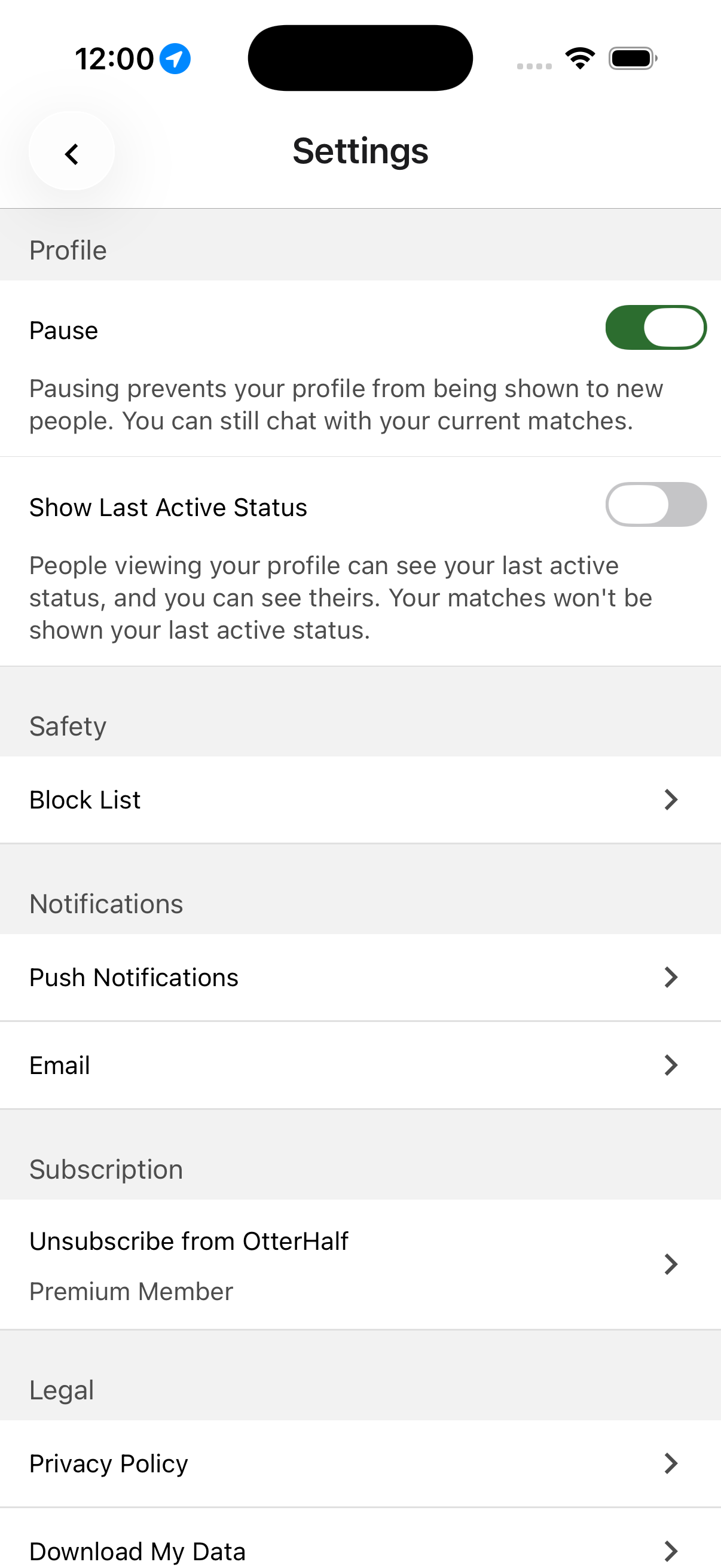
This prevents you from being shown to new people, but you can still chat with your existing matches.
Unpausing Your Account:
- Toggle the Pause switch to off, or
- Tap Unpause Profile on your Discover screen
Important: Pausing your account does not pause your subscription.
If you sent someone a Like before pausing, that person will still receive your Like and can match with you.