
How can I Block People I Know?
Need to avoid seeing someone on OtterHalf? The Block List feature lets you do exactly that. Add contact information for people you want to block, and we'll work to prevent you from seeing each other on the app.
Important Information:
- Blocked contacts are not notified that you've blocked them
- Adding someone to your block list doesn't mean they have an OtterHalf account
- Blocking won't affect your existing matches or message history
- If the contact information you provide doesn't match what they used to sign up, we may not be able to prevent you from seeing each other
- You can remove contacts from your block list anytime
How to Open the Block List
You can open the Block List in two ways:
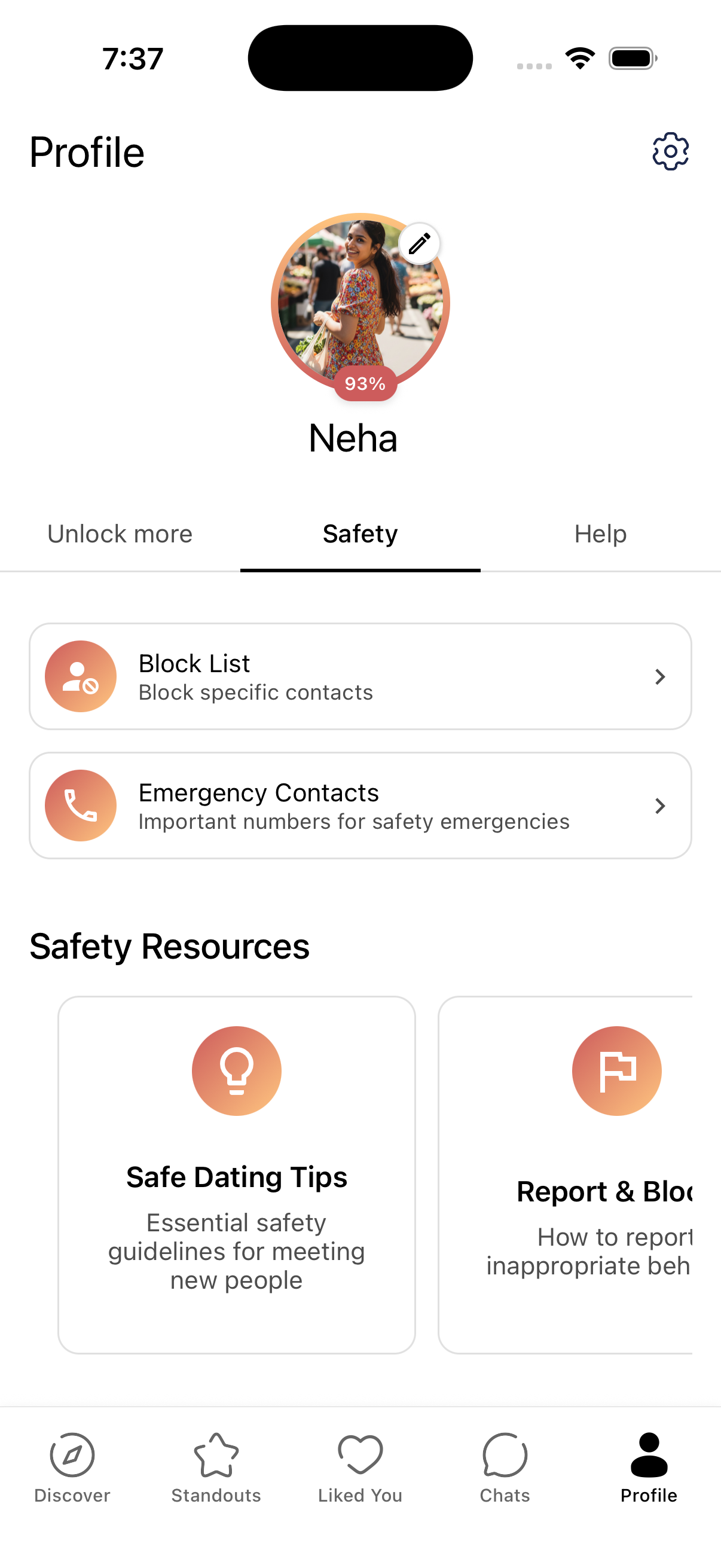
- From the Safety tab: Tap the Profile tab (person icon in the bottom navigation), then tap the Safety tab under your name. Tap the Block List card ("Block specific contacts").
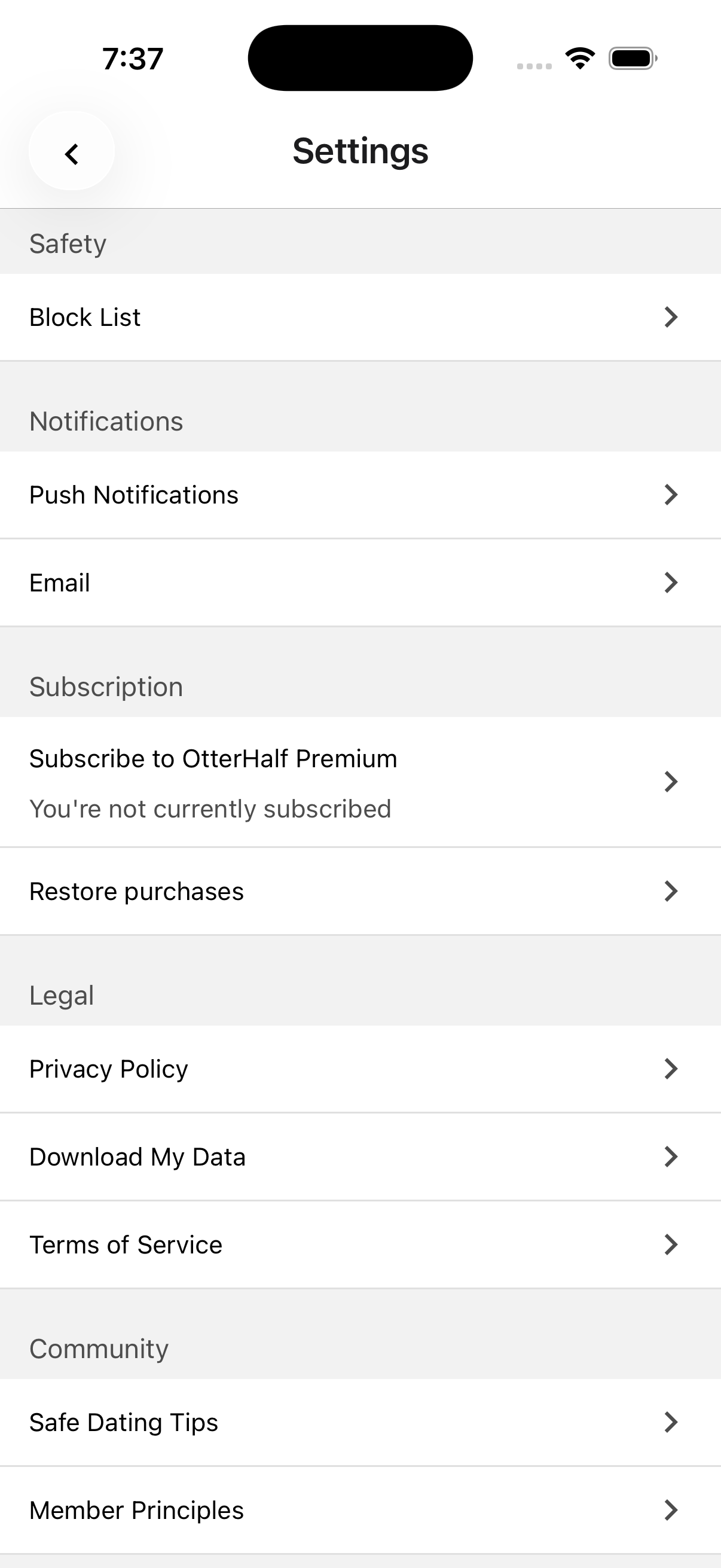
- From Settings: Tap the Profile tab, then the Gear icon to open Settings. Scroll to the Safety section and tap Block List.
Adding Someone to Your Block List
After opening the Block List (using either path above):
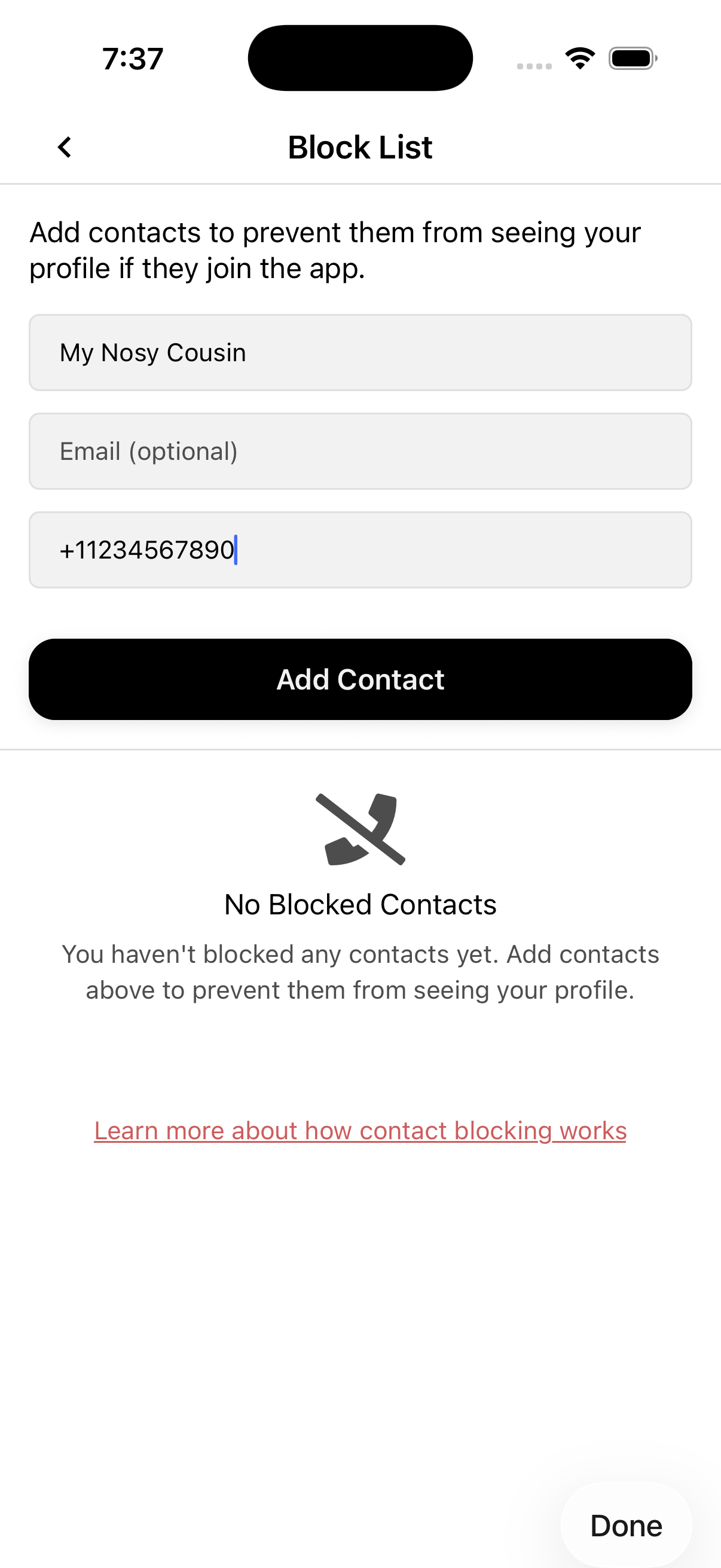
- Enter the person's information:
- Name (required)
- Email (optional)
- Phone number (optional). You must provide at least one of email or phone number.
- Tap Add Contact
Removing Someone from Your Block List
To remove a contact:
- Open the Block List (Profile → Safety → Block List, or Profile → Gear → Settings → Block List).
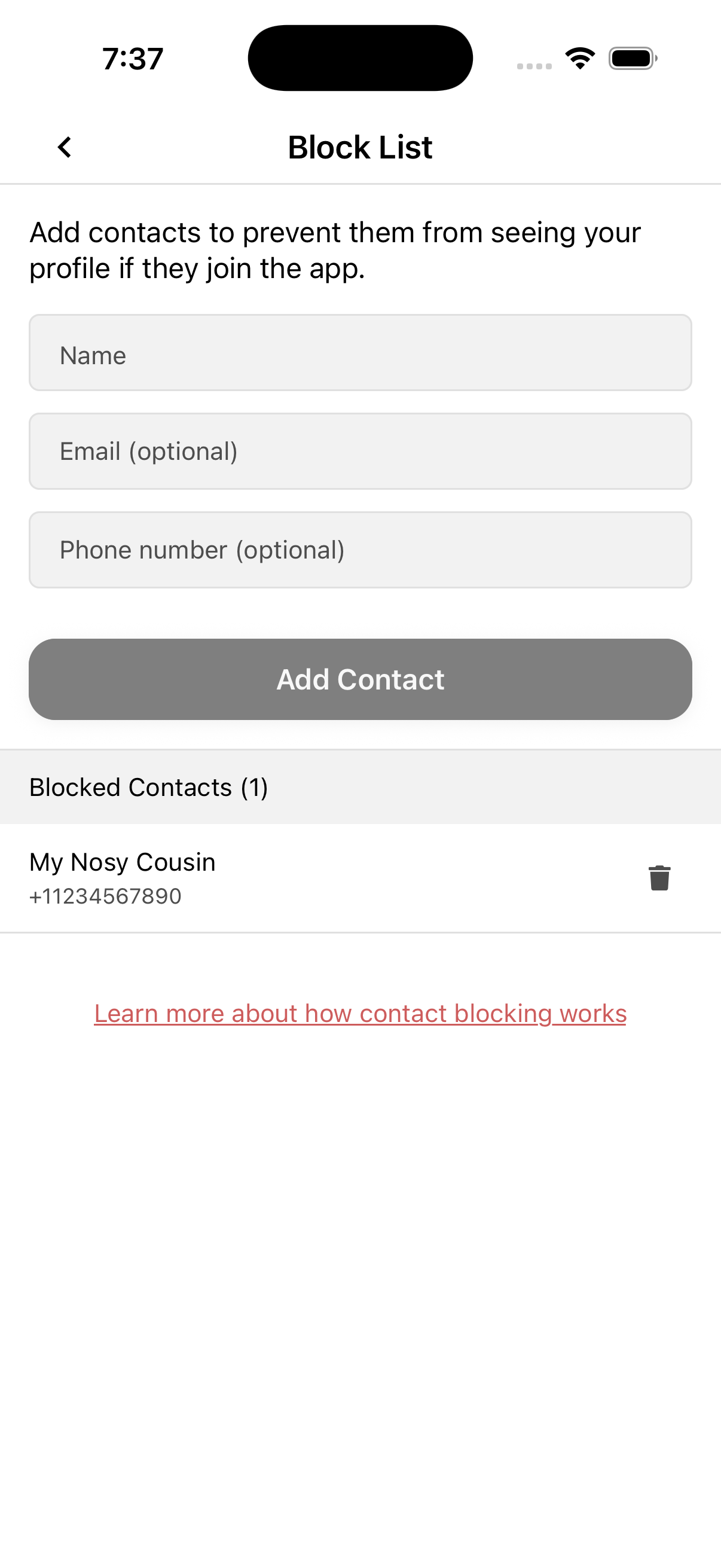
- Find the contact in the Blocked Contacts list.
- Tap the trash icon next to that contact.
- Confirm removal in the dialog when prompted.
How We Use Your Block List Information:
When you add someone to your block list, we only store the contact information you provide (name, email, and/or phone number). This information is used to prevent you from seeing blocked contacts and prevent them from seeing you (assuming they created an account using the same contact information).
Your privacy matters to us. For detailed information about how we handle your data, please review our Privacy Policy.