
How do I change my Preferences?
Dating Preferences help you find people who match what you're looking for. OtterHalf offers both basic and advanced filtering options to help you discover compatible connections.
Accessing Your Dating Preferences:
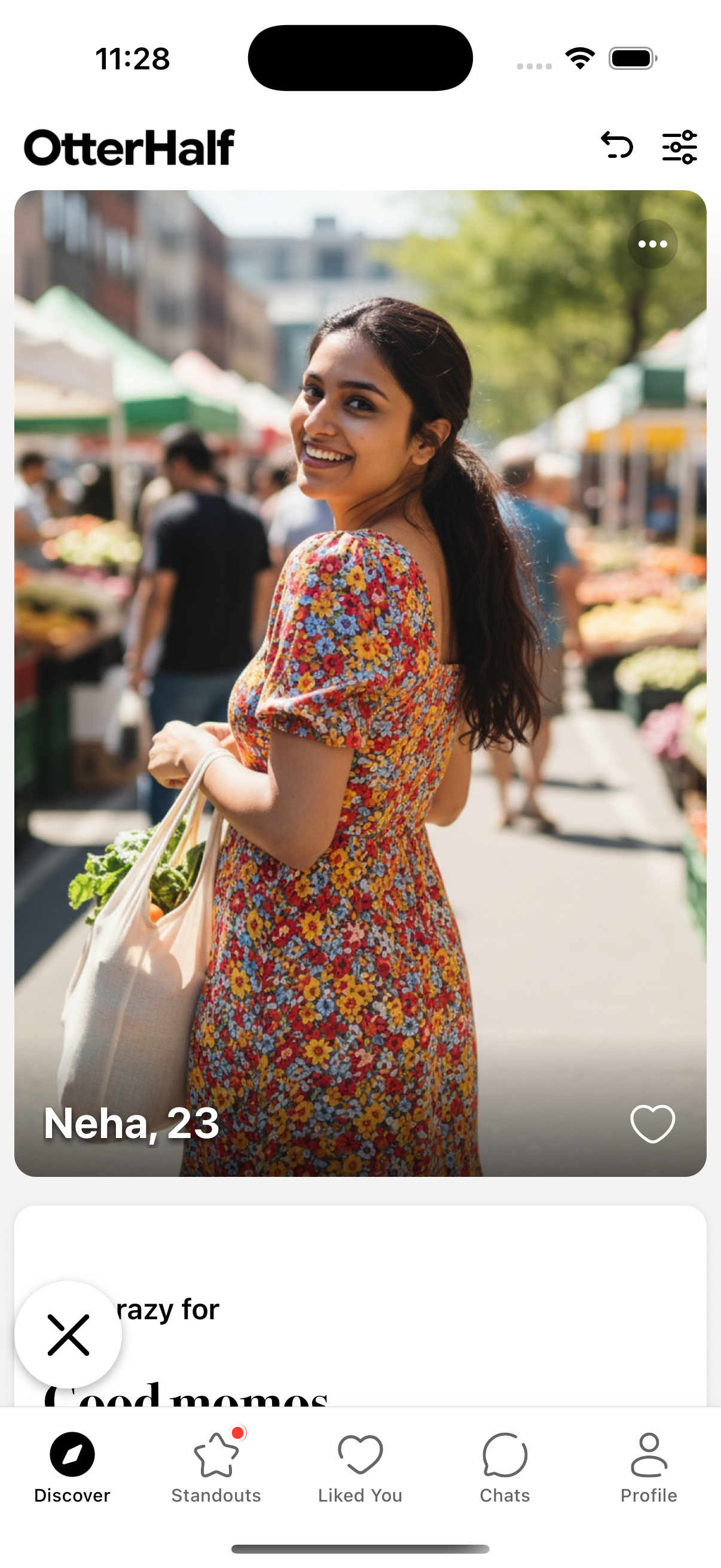
- Open the OtterHalf app and navigate to the Discover tab (compass icon in the navigation bar)
- Tap the Filter Icon in the top right corner of the screen
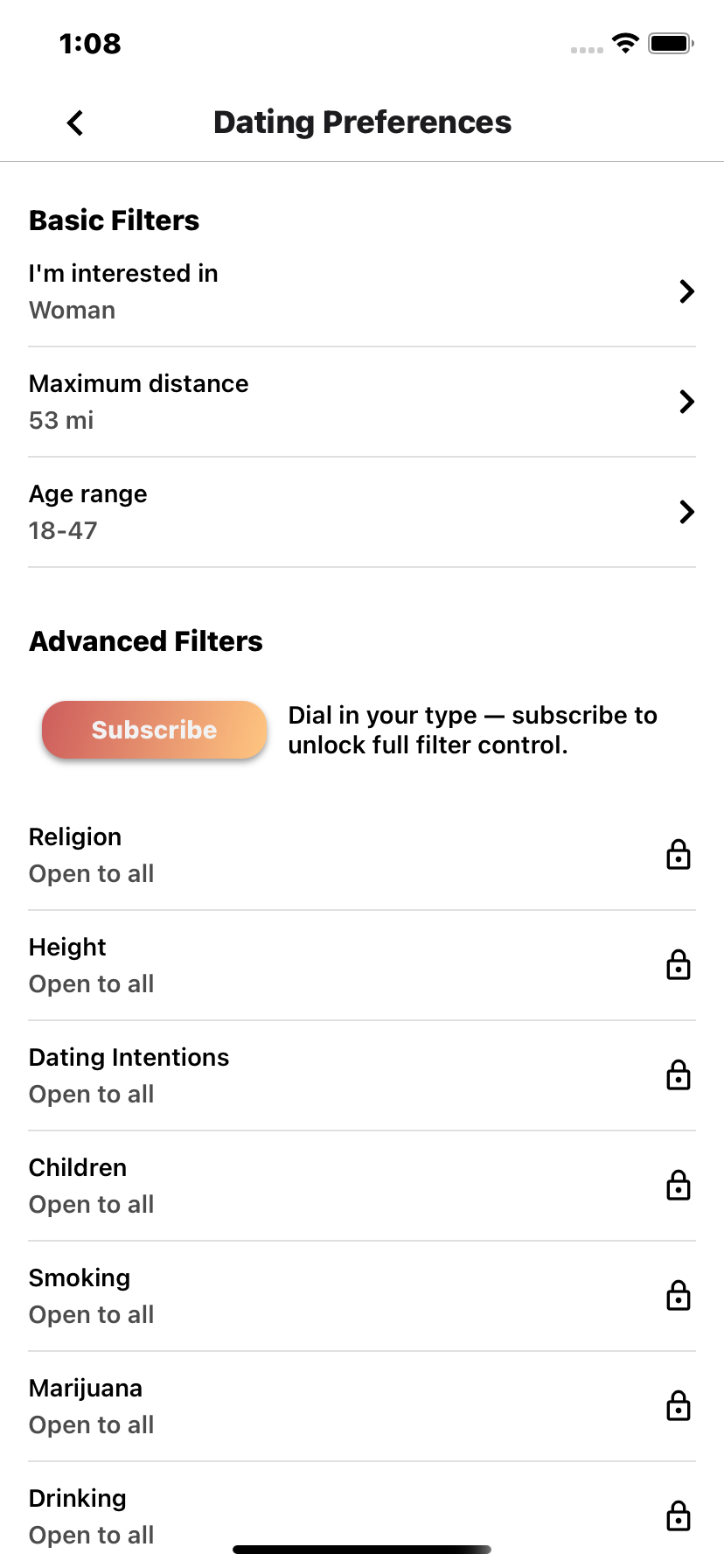
- Tap any preference option to adjust your filters
Basic Preferences (Available to All Users):
All OtterHalf users can access these essential dating preferences:
- Location – Set your preferred distance range to find people nearby
- Age Range – Choose the age range of people you'd like to meet
- Gender – Select which genders you'd like to see in your Discover feed
- Show Me To – Control who can see your profile based on their gender preferences
Advanced Preferences (OtterHalf Premium)
OtterHalf Premium subscribers unlock additional advanced filtering options to find more compatible matches:
- Height - Filter by preferred height range
- Whether You Have Children - Find people based on their parenting status
- Family Plans - Match with people who share your family goals
- Education Level - Filter by educational background
- Politics - Connect with people who share your political views
- Drinking - Filter based on drinking habits
- Smoking - Find matches based on smoking preferences
- Marijuana Use - Filter by marijuana usage
- Drug Use - Set preferences for drug use
💡 Pro Tip: Advanced preferences help you find people who align with your lifestyle and values, making it easier to build meaningful connections.
How Preferences Work:
- Discover Feed: Your preferences filter who appears in your main Discover feed, showing you people who match your criteria.
- Dealbreakers: Some preferences can be set as "dealbreakers," meaning you'll only see people who meet those specific requirements.
- Flexible Matching: OtterHalf may occasionally show you profiles that don't match all your preferences if we think you might be a great match based on other factors.
- Update Anytime: You can change your preferences anytime to refine your dating experience.
Want to unlock Advanced Preferences?
Upgrade to OtterHalf Premium to access all advanced filtering options and find more compatible matches faster.
Learn About PremiumNeed help adjusting your preferences? If you're having trouble finding the right settings or have questions about how preferences work, our Support Team is here to help!